Key takeaways
- Robinhood sells your oldest shares first by default. With “Sell in tax lots” you choose exactly which shares go.
- Selling a high-cost lot can book a loss even when your position as a whole is in profit.
- Losses cancel your gains first, then up to $3,000 a year offsets ordinary income, and the rest carries forward.
- Sell early in December and don't buy back for 31 days, or the wash sale rule can wipe out the loss.
Before you start: read 3 Tax Mistakes to Avoid first.
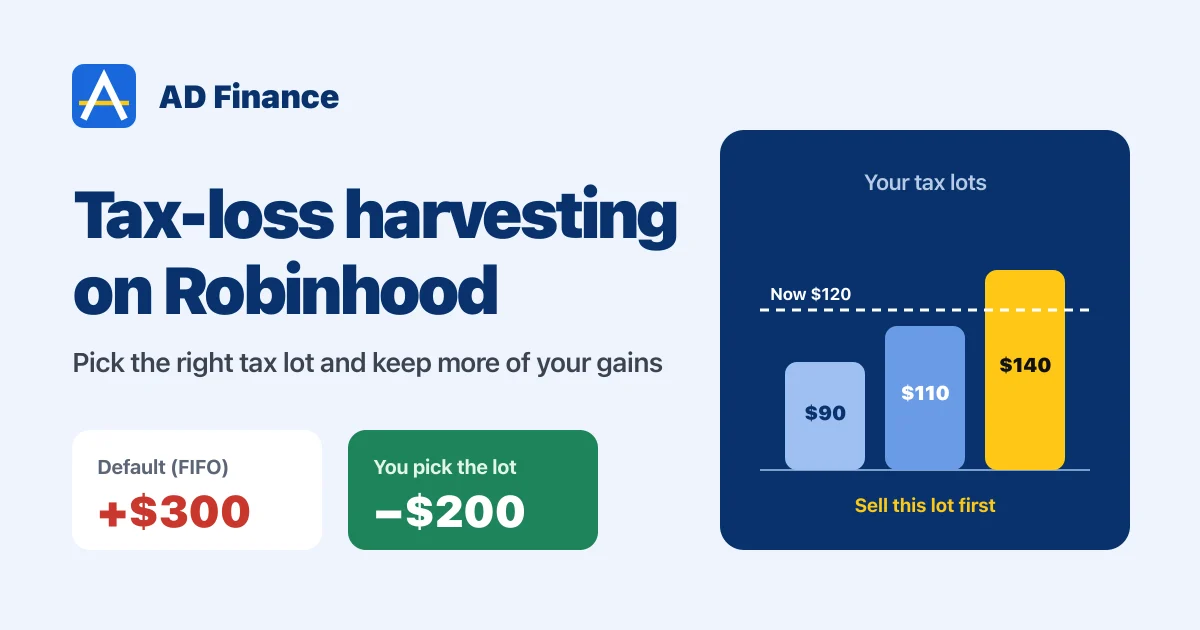
Do you have some stocks sitting at a loss in your portfolio? Before the year ends, those losses can actually do some good for you. They can cut down the taxes you owe on your gains. That’s called tax-loss harvesting.
And Robinhood has a feature that makes this much more powerful: selling by tax lot. For a long time you could only sell at your average cost, and you had no idea which shares were actually going out. Now you can pick them yourself. I started using it when I was adjusting my own capital gains and losses for the year, and it made a real difference.
In this guide I’ll show you how tax lots work, how to use the feature step by step, how your losses offset your gains, and the wash sale timing you need to get right in December.
I’m not a tax adviser. This is how I approach my own taxes, based on how the rules work. For your exact situation, check with a tax professional.
First, what’s a tax lot?
Every time you buy shares of a stock, that purchase is a tax lot: a number of shares, at a price, on a date. If you bought Nvidia three different times, you have three lots, each with its own cost.
Here’s the part most people don’t know. When you just tap Sell and type a number of shares, Robinhood uses first in, first out (FIFO). Your oldest shares are sold first. The app shows you an average cost, but that’s not what your taxes use.
So depending on which lot goes out, the exact same sale can be a gain or a loss. Let me show you:
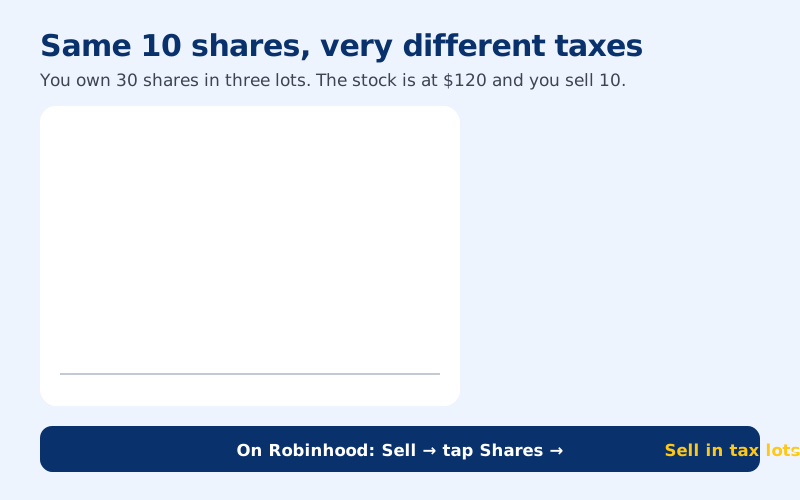
Try it yourself. Pick which lot you’d sell:
Selling 10 shares from Lot 1 (bought at $90)
+$300 gain. ($120 − $90) × 10 shares. This is what Robinhood does by default, because it's your oldest lot. If you're trying to lower your tax bill, this is the worst lot to sell.
Selling 10 shares from Lot 2 (bought at $110)
+$100 gain. ($120 − $110) × 10 shares. Smaller gain, smaller tax. Useful if you want to take some profit but keep the taxable part low.
Selling 10 shares from Lot 3 (bought at $140)
−$200 loss. ($120 − $140) × 10 shares. Even though your position as a whole is up, this sale books a loss you can use against gains from other trades. That's tax-loss harvesting.
You see the difference? Same stock, same day, same 10 shares, and a $500 swing in your taxable gain.
How to sell a specific tax lot on Robinhood
Here’s exactly how I do it in the app. In my video I show it live with Palantir, where most of my lots were in profit, and Nvidia, where some of my lots were at a loss.
Step 1 of 4
Tap Sell on the stock
Open the stock you want to sell and tap Sell, like you normally would. Don't type in the number of shares yet.
Step 2 of 4
Tap Shares and choose "Sell in tax lots"
Tap the Shares field at the top. You'll see a few options. Pick Sell in tax lots. If you don't see it yet, Robinhood has been rolling this out in phases, and it's for taxable investing accounts, not IRAs.
Step 3 of 4
Select your lots
Tap Select lots. Now you see every lot: when you bought it, the cost per share, and whether it's at a gain or a loss. Each lot is marked short-term or long-term too.
Pick the lot you want and enter how many shares from it. You don't have to sell the whole lot. In my Palantir example I sold just 5 shares from one lot.
Step 4 of 4
Review and submit
From here it's just like any other sale. Set a market or limit order, review, and submit. Robinhood shows how many lots and shares you're selling and what you'll get.
One thing to watch: if you place another sell order on the same stock without picking lots, it can use up the shares you selected. And if you need to change a tax lot order after it fills, Robinhood says to contact them before 9 PM ET on the settlement date.
How your losses actually lower your taxes
A quick recap first. Until you sell, a gain or a loss is unrealized, just a number on your screen. The moment you sell, it becomes realized, a capital gain or a capital loss, and that’s what goes on your taxes.
Gains on things you held a year or less are short-term and taxed like your regular income. Hold for more than a year and it’s long-term, which is taxed at lower rates. So if you’re close to the one-year mark on a winner, it can be worth waiting a few days before you sell.
Now, here’s where the losses go:
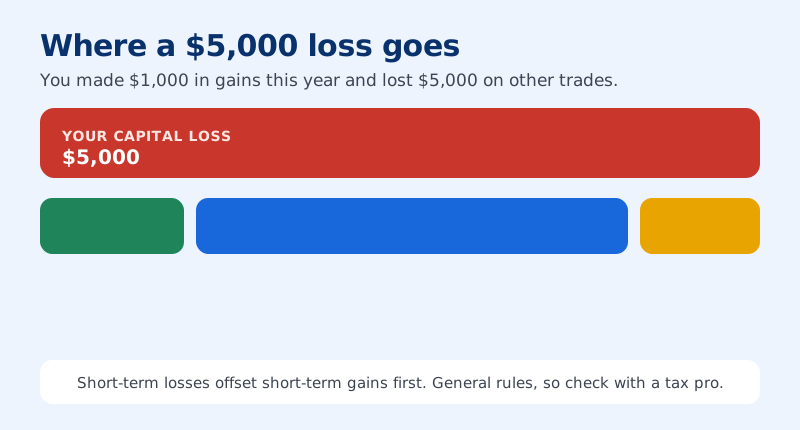
- They cancel your gains first. $1,000 of gains and $1,000 of losses means you owe nothing on that $1,000.
- Then up to $3,000 offsets your ordinary income. Your salary, side income, anything.
- Anything left carries forward to next year, and the year after, with no time limit.
You don’t have to calculate all this yourself. Robinhood tracks everything, including options, and sends you a Form 1099 early in the new year. You’ll find it under Account → Tax center.
Don’t let the wash sale rule cancel your loss
This is the trap. The IRS doesn’t let you sell a stock at a loss just to book the loss and then buy it right back. That’s the wash sale rule.
If you buy the same stock, or something “substantially identical”, within 30 days before or after you sell at a loss, you can’t claim that loss for the year. It gets added to the cost of the new shares instead.
Here’s the example from my video. You bought a stock for $1,000 and sell it for $900 in late December, a $100 loss. Then in early January you buy it back for $950. That’s within 30 days, so it’s a wash sale. You can’t use the $100 loss this year, and your new cost basis becomes $1,050: the $950 you paid plus the $100 loss you couldn’t claim.
And this applies to options too. Selling Google at a loss and then buying a Google call within 30 days can count as a wash sale. I go deeper on the options side in my options trading taxes guide.
The fix: sell early, buy back late
The solution is simple. Don’t wait until the last week of December. Do your tax-loss harvesting in late November or early December, then wait at least 31 days before buying the stock back. If you still love the stock, you can buy it again in January, and your loss still counts for this year.
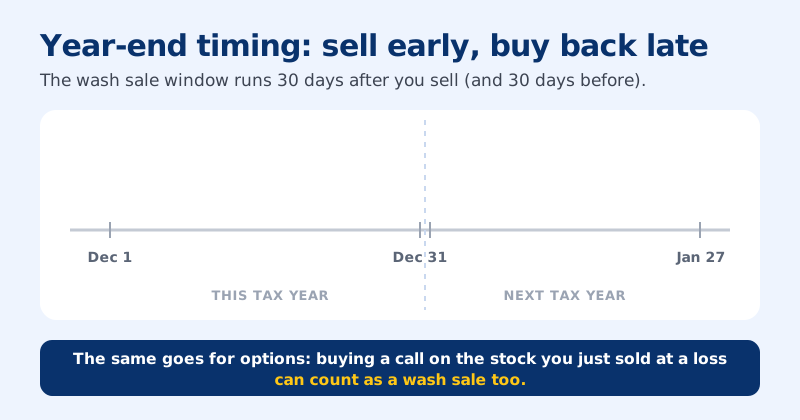
One more catch with tax lots: the 30 days before the sale count too. If you bought more shares of the same stock in the last 30 days, selling an older lot at a loss can still be a wash sale. Check your recent buys before you harvest.
My year-end tax-loss harvesting checklist
Before December 31
You're set. Your losses are working for you now.
Most people scramble at tax time. Start planning now and you’ll keep more of your gains next April. And if you have questions about your own situation, put them in the comments on the videos. I’m not a licensed tax adviser, but I’ve been doing this on my own Robinhood account for a long time and I’m happy to point you in the right direction.
FAQ
Does Robinhood do tax-loss harvesting?
Robinhood offers automatic tax-loss harvesting only on its managed accounts. In a regular self-directed account you do it yourself, by selling positions or specific tax lots that are at a loss before December 31.How do I sell a specific tax lot on Robinhood?
Tap Sell on the stock, tap the Shares field and choose Sell in tax lots. Then select the lots you want to sell and how many shares from each, and review and submit. Robinhood notes this is in the app for US taxable investing accounts.What is Robinhood's default cost basis method?
First in, first out (FIFO). If you just tap Sell and choose a number of shares, the oldest shares are sold first, even if a different lot would give you a better tax result.How long do I have to wait to buy a stock back after tax-loss harvesting?
Wait at least 31 days after the sale. Buying the same or a substantially identical security within 30 days before or after selling at a loss is a wash sale, and the loss can't be claimed that year. That includes buying call options on the same stock.Check your understanding
Written by Abhi
I'm Abhi. I've invested in US stocks for years, and for the last five to six years options have been at the heart of how I trade. I started AD Finance to break complex options concepts into plain-English guides, so you can trade with confidence, and I built OptionsVault to track my own trades.
This guide is for education only and is not financial advice. Options trading involves risk. Read the full disclaimer.